Contribution Guide
Guides below will help you dive into the Solie codebase.
When using terminal commands from the following sections, always make sure that your current working directory is the root folder of the cloned repository.
Running Code
You need to install some components on your system first. Begin by installing the Python package manager, uv.
Execute the runner code inside its virtual environment.
uv run -m usage
Debugging
If there is Python code that you want to run, you can run it in the “Logs” of the “Manage” tab. After writing the code in the “Python script” input field, you can press “Run script” button to get the result. The print function won’t help you because it prints to the terminal rather than the log list.
Note that what you’re running here is a real Python code. Therefore, you can import various modules including solie from the script.
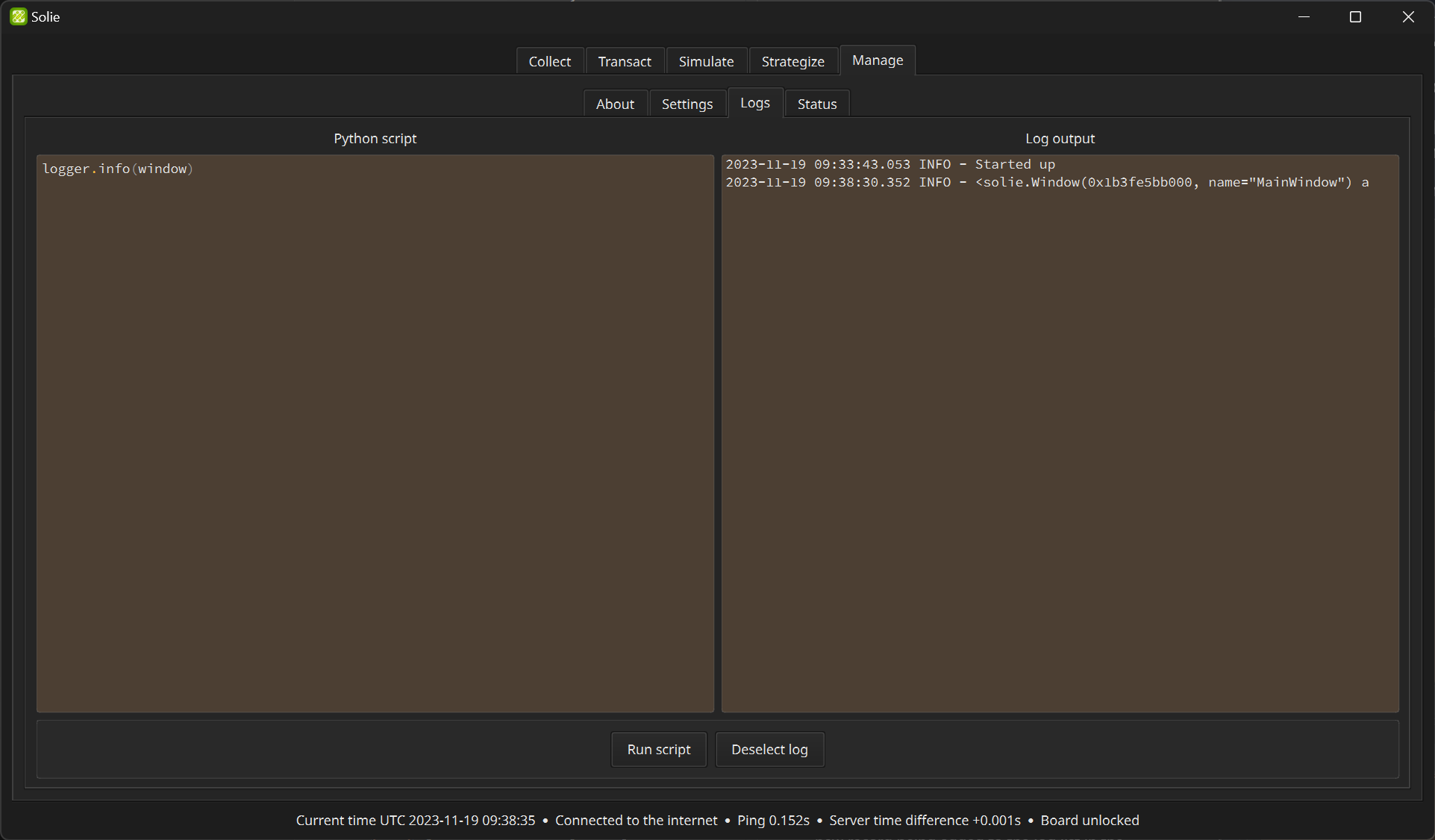
To output something as a log, you can use the default logger. When you run this code, you will see a new record being added to the log list in the debugger. logger can show anything of any type.
logger.debug("Something you want to know about")
You can also choose the importance of the log. There are 5 log levels: DEBUG, INFO, WARNING, ERROR, and CRITICAL. Our logger provided here will output all the levels.
my_dictionary = {"a": "yahoo", "b": "hi"}
logger.info(my_dictionary)

You can also access workers. Direct modification of internal data is possible.
from solie import team

logger.debug(team.transactor.account_state)
If the type of the variable you want to output is list[T] or dict[K, V], you can log it with better readability using the json standard library.
import json

log_data = json.dumps(
    team.transactor.account_state,
    indent=2,
    default=str
)
logger.debug(log_data)
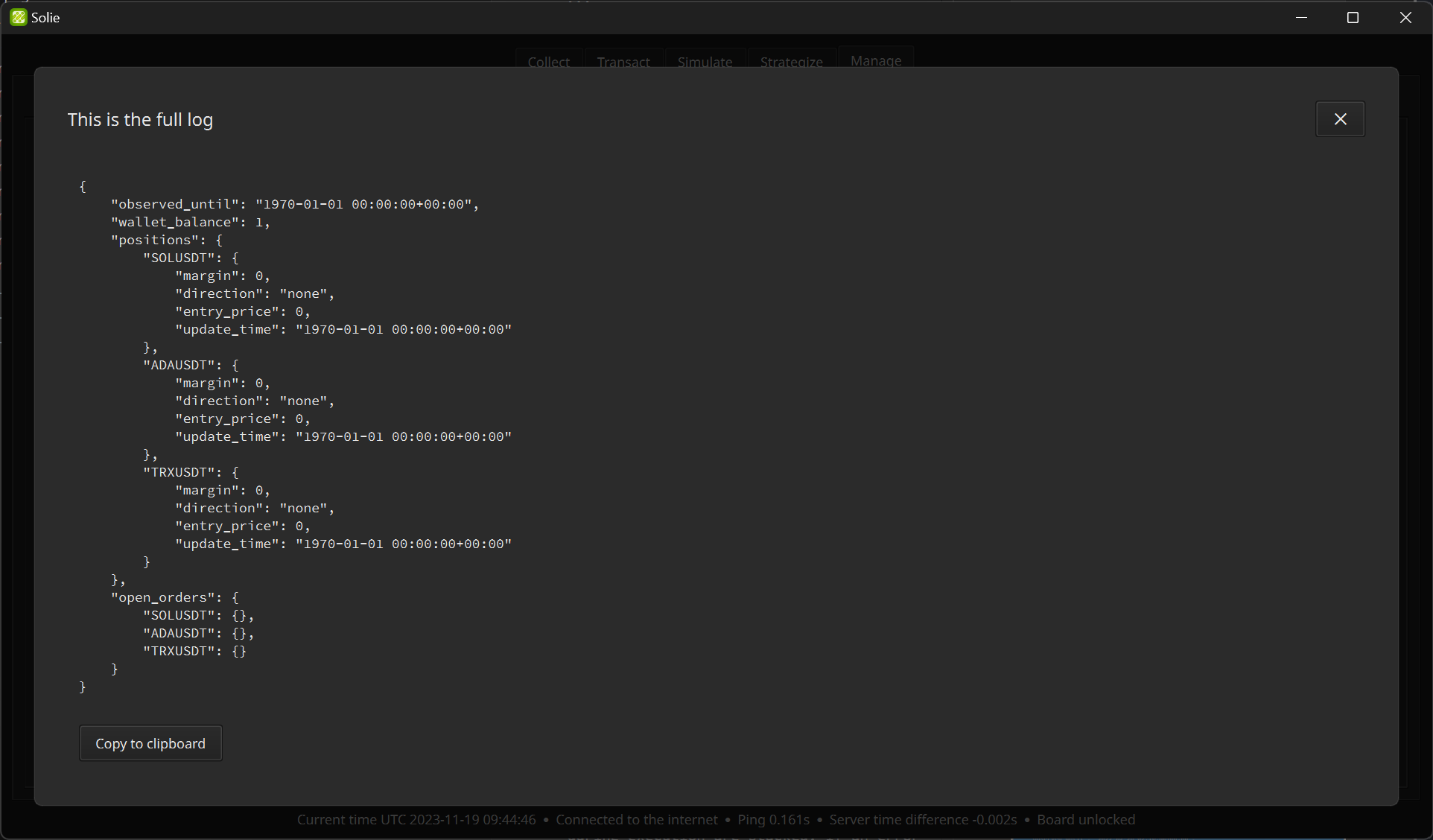
In the “Log output”, all logs that occur during execution are stacked. If an error occurs, it is also logged. If you’re writing a strategy script and something doesn’t work, visit here to figure out the cause.
User Interface
The user interface can be modified by editing the ./craft/window.ui file with Qt Designer. Run the designer app with the terminal command below.
uv run pyside6-designer
After editing the UI file, you should compile it into a Python module.
pyside6-uic craft/window.ui -o package/solie/window/compiled.py
Rules
uv sync
uv run ruff check
uv run ty check
Solie is written entirely in Python and utilizes uv as the primary tool for managing packages.
Use the Ruff formatter for organizing code and identifying issues.
Employ Ty for type safety.
It should be user-friendly, allowing general users to navigate with just a few clicks.
Development targets compatibility across Windows, Linux, and macOS without relying on platform-specific packages like
win32api.UTC timezone information must be included in
datetime.datetimeobjects. Also, include UTC timezone information wherever feasible, such as inpandas.DatetimeIndex.